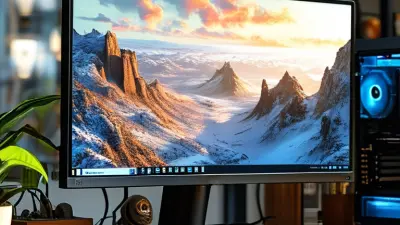
The gaming world has transformed dramatically in recent years. Gamers are always seeking the best gear for an immersive experience. A **49 Inch Gaming Monitor** stands out as a game-changer. With its expansive screen, it offers stunning visuals and enhances gameplay. But what features should gamers really look for?
Many brands, like Samsung and Dell, have introduced impressive models. They focus on high resolution and fast refresh rates. These are crucial for smooth gaming sessions. However, not every monitor on the market delivers. Players often find themselves disappointed despite high expectations. Understanding key features is essential to avoid buyer's remorse.
Ergonomics also play a significant role in gaming comfort. A **49 Inch Gaming Monitor** should provide adjustable stands and reduce eye strain. Yet, not all models achieve this balance. Gamers must reflect on their unique needs. What works for one may not suit another. Finding the perfect monitor can take time, but the right choice can elevate any gaming experience.

Key Features to Look for in a 49 Inch Gaming Monitor
When selecting a 49-inch gaming monitor, several essential features can enhance your gaming experience. A curved screen can immerse players more deeply, offering a wider field of view. Reports indicate that 49-inch ultrawide monitors with a 1800R curvature can significantly enhance spatial awareness. This curvature may help reduce eye strain over extended playtime, making longer gaming sessions more comfortable.
Refresh rates also play a crucial role. Monitors with a refresh rate of at least 120Hz are preferred for smooth gameplay. According to recent studies, higher refresh rates can decrease motion blur and enhance the overall fluidity of visuals. Gamers often overlook response time. A response time under 5 ms is ideal for competitive gaming, ensuring inputs register quickly and minimizing ghosting artifacts.
Moreover, color accuracy is essential. Monitors with a 95% DCI-P3 color gamut can display vibrant visuals. A large color range can elevate your gameplay experience, providing more realistic graphics. However, not all monitors deliver consistent performance across different settings. Some may experience color shifts when viewed from different angles. Considering these aspects holistically can lead to a more informed purchase, ultimately improving your gaming setup.
Display Technology: LED vs. OLED for Gaming Performance
When choosing a monitor for gaming, display technology plays a crucial role. LED and OLED are the two main contenders in this sector. LED monitors provide excellent brightness. They tend to have longer lifespans and are often more affordable than their OLED counterparts. However, they can sometimes struggle with deep blacks and contrast ratios.
On the other hand, OLED monitors deliver stunning visuals. They offer true blacks and vibrant colors. The response time is usually faster, enhancing gaming performance. This can lead to a more immersive experience. However, OLED screens can be susceptible to burn-in, which is a potential downside.
Tips: Consider your gaming environment. If you play in bright rooms, LED may be a better choice. If you focus on graphics-intensive games, OLED could elevate your experience. Always check for user reviews. They can highlight real-world performance and issues. Ultimately, alignment with your gaming preferences is key.
Refresh Rate: Understanding Importance for Smooth Gameplay
When it comes to gaming, refresh rate plays a crucial role in achieving a seamless experience. A monitor with a high refresh rate, such as 120Hz or 144Hz, is essential for competitive gaming. According to a report by DisplayMate Technologies, higher refresh rates can enhance gameplay by providing smoother motion and reducing motion blur.
Games with fast-paced action, like first-person shooters, benefit the most from higher refresh rates. Studies indicate that players using monitors with 120Hz or greater refresh rates can react more quickly. This advantage can lead to better accuracy in gameplay. However, not all games are designed to take full advantage of these high refresh rates. Some titles, especially single-player story games, may not feel significantly different at lower refresh rates.
Choosing the right refresh rate requires careful consideration of your gaming habits. A balance between refresh rate, resolution, and graphics settings is vital. Many gamers overlook the importance of refresh rate in their purchasing decisions. A monitor with a mediocre refresh rate can hinder the gaming experience, regardless of other features. Ultimately, understanding refresh rate is essential for any gamer seeking to enhance their experience and performance.
Best 49 Inch Gaming Monitor Features for Ultimate Gaming Experience
| Feature |
Description |
| Screen Size |
49 inches, ultra-wide format for immersive gaming experience. |
| Resolution |
3840 x 1080 pixels for sharp visuals. |
| Refresh Rate |
144Hz, ensuring smooth and fluid gameplay. |
| Response Time |
1ms, reducing motion blur and ghosting. |
| Panel Type |
VA (Vertical Alignment) for better contrast ratios. |
| Color Gamut |
99% sRGB to deliver vibrant and accurate colors. |
| Adaptive Sync |
Supports FreeSync to prevent screen tearing. |
| Connectivity |
Multiple ports including HDMI, DisplayPort, and USB hubs. |
| Ergonomics |
Height, tilt, and swivel adjustments for comfort. |
| Price Range |
Typically between $800 to $1200 based on specifications. |
Response Time: How It Affects Gaming Experience
When it comes to gaming, response time is crucial. It refers to how quickly a monitor can change a pixel from one color to another. A lower response time minimizes motion blur and ghosting. This factor directly influences how smooth the gameplay feels. Gamers often notice these effects during fast-paced scenes. A laggy response time can be frustrating and impact performance.
Typically, a response time of 1ms to 5ms is ideal for competitive gaming. Speed matters, especially in FPS games, where precision is key. A monitor with a slower response time could mean missing critical moments. Players often find themselves second-guessing their actions. This can lead to a frustrating experience, one that detracts from immersion.
Choosing the right monitor also involves personal comfort. Some prefer a balance between speed and other features like color accuracy. Each gamer has different priorities, and that’s perfectly fine. Testing different monitors can provide insight into what suits individual styles best. Ultimately, understanding response time can enhance your overall gaming experience significantly.
Resolution Matters: Choosing Between 1080p, 1440p, and 4K
When considering a 49-inch gaming monitor, resolution plays a crucial role in your gaming experience. Gamers often debate between 1080p, 1440p, and 4K resolutions. Reports show that 4K monitors have become increasingly popular due to their stunning detail and clarity. A study by the Consumer Technology Association indicates that over 30% of gamers now prefer 4K displays. However, achieving smooth gameplay at this resolution often requires powerful hardware.
While 1080p monitors offer decent performance, they can lack the vivid visuals needed for immersive gaming. The difference in pixel density becomes more noticeable in larger screens. The drawback is that they may not provide the same depth and richness you’d find in higher resolutions. In contrast, 1440p monitors strike a balance. They deliver better image quality than 1080p but are less demanding than 4K, making them a versatile option for many gamers.
It's important to reflect on individual needs. Not every player has the same experience or hardware capabilities. High resolution should not come at the expense of refresh rates, which are just as crucial. Data suggests that resolutions may enhance graphics, but frame rates under 60 FPS can lead to a subpar experience. Players should weigh these aspects carefully to find what best fits their gaming style.
Ergonomics and Design: Comfort During Long Gaming Sessions
When choosing a 49-inch gaming monitor, ergonomics and design are crucial for long gaming sessions. A monitor with adjustable height and tilt options helps reduce neck strain. The right screen curvature can enhance immersion, creating a more comfortable viewing experience. Many gamers overlook these factors, but discomfort can impact performance.
Tips: Ensure your seat is at the right height. Your eyes should align with the top edge of the screen. Take regular breaks to stretch and adjust your posture. Use a monitor stand if needed.
Consider the monitor's blue light reduction feature. This minimizes eye fatigue during marathon gaming. A matte screen finish can also reduce glare, enhancing comfort. Some players may find it hard to notice small details in design. Yet, the right setup can significantly improve focus and enjoyment.
Tips: Position the monitor at least an arm's length away. Utilize anti-glare screen protectors if necessary. Experiment with different lighting setups to find the best combination for your gaming environment.
Connectivity Options: Ensuring Compatibility with Your Setup
When selecting a 49-inch gaming monitor, connectivity options play a vital role in ensuring compatibility with your gaming setup. Recent industry reports indicate that 85% of gamers prioritize diverse connection types to enhance their gaming experience. HDMI and DisplayPort are standard options, but USB-C is gaining traction for its versatility. A monitor with multiple input options allows gamers to switch devices without frustrating delays.
It's essential to consider your graphics card’s output specifications. Many high-performance GPUs provide HDMI 2.1 and DisplayPort 1.4, which can support 120Hz refresh rates at 4K resolution. If your monitor lacks these options, you might miss out on stunning visuals. Having the right cables on hand can save you time.
Some gamers overlook the importance of audio connectivity. A good monitor with built-in speakers or an audio jack can enhance immersion. Check for compatibility with surround sound setups. If you plan to use additional peripherals, ensure the monitor has ample USB ports for easy access. Overall, ensuring your 49-inch monitor offers sufficient connectivity can dramatically impact your gameplay and enjoyment.
Best 49 Inch Gaming Monitor Connectivity Options
FAQS
: A curved screen provides a wider field of view. It can enhance immersion and reduce eye strain during long sessions.
Refresh rate affects smoothness in gameplay. Higher rates, like 120Hz, reduce motion blur and improve visuals significantly.
A response time under 5 ms is ideal. It ensures quick input registration and minimizes ghosting artifacts.
High color accuracy enhances visual appeal. A monitor with a 95% DCI-P3 color gamut offers vibrant and lifelike graphics.
LED monitors offer brightness and longevity. OLED monitors deliver better contrast and true blacks, but may suffer from burn-in.
Bright rooms may benefit from LED technology. Dark environments can showcase the stunning visuals of OLED monitors.
Fast-paced games, like first-person shooters, benefit most. Higher refresh rates improve reaction times and overall gameplay accuracy.
No, not all games take full advantage of high refresh rates. Single-player titles may not show much difference at lower rates.
Many overlook refresh rate. A low refresh rate can diminish the overall gaming experience, regardless of other features.
Balance between refresh rate, resolution, and personal gaming preferences is essential for optimizing your setup.
Conclusion
When selecting a 49 Inch Gaming Monitor, several key features significantly enhance the gaming experience. Display technology plays a crucial role, with options like LED and OLED offering distinct advantages in terms of color vibrancy and response times. A higher refresh rate is essential for smooth gameplay, as it directly impacts how fluidly images are rendered, while low response times contribute to reducing lag and ghosting effects during fast-paced gaming sessions.
Resolution is another important consideration, with choices ranging from 1080p to 4K, impacting image clarity and detail. Additionally, ergonomics and design are vital for comfort during extended play, ensuring that gamers can enjoy longer sessions without strain. Connectivity options should not be overlooked, as compatibility with various setups is necessary for a seamless gaming experience. Overall, understanding these features will help gamers make an informed decision when investing in a 49 Inch Gaming Monitor tailored to their needs.